
Best Flight Sim Rudder Pedals of 2026: Thrustmaster, Logitech, Honeycomb
The best flight sim rudder pedals: Thrustmaster TFRP, Logitech G Pro, Honeycomb Charlie, Turtle Beach VelocityOne and Thrustmaster's pendular TPR, by platform.
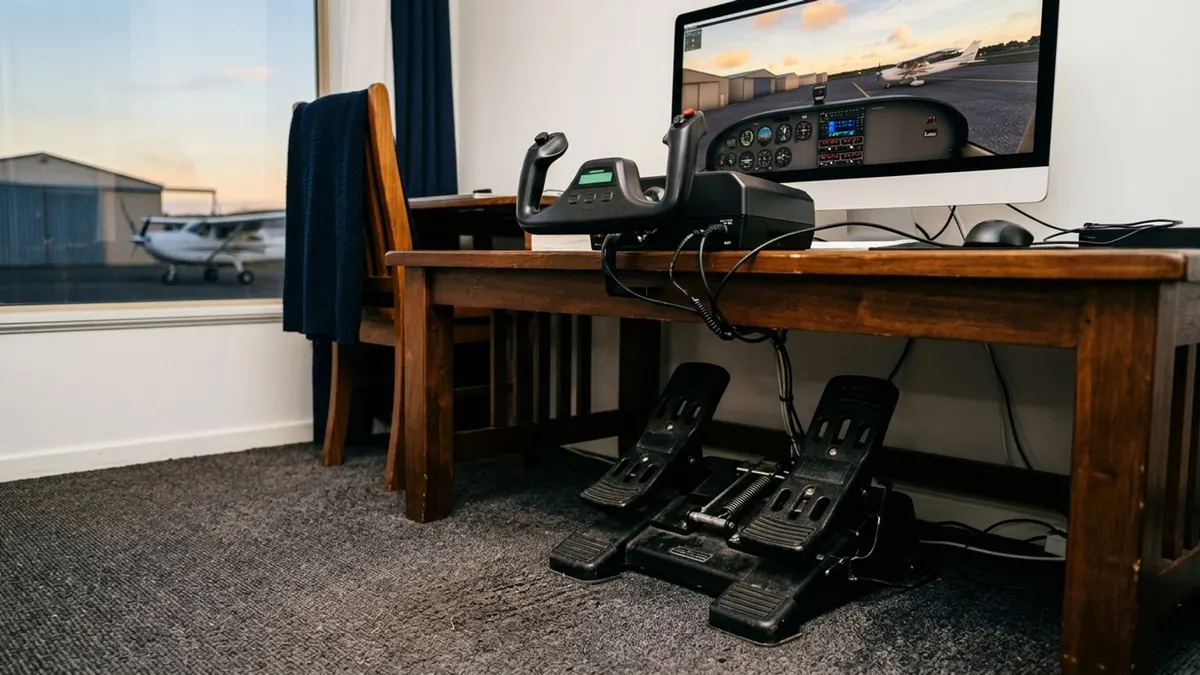
Affiliate disclosure: product links on this page go to Amazon or to the maker's own store. As an Amazon Associate we earn from qualifying purchases, at no extra cost to you; links to makers' own stores earn us nothing. No retailer or brand sees our picks before they are published or has any say in them. How we choose.
For most home simulators, the Thrustmaster TFRP are the rudder pedals to buy: a self-centering rudder axis with long travel on four aluminum rails, differential toe braking and adjustable resistance, working with PS5, Xbox and PC, and sold by Amazon (per the listing). They are also the pedals Thrustmaster pairs with its TCA Sky Yoke.
If you fly with a Honeycomb yoke and want metal and magnetic sensors, the Honeycomb Charlie pedals use aluminum, a belt drive and Hall effect sensors. For the most realistic motion, Thrustmaster's TPR uses a suspended pendular mechanism.
Our top picks at a glance
1. Best overall
Thrustmaster TFRP rudder pedalsPlatforms: PS5, Xbox, PC · Mechanism: Sliding, four aluminum rails · Toe brakes: Differential · Sensors: See Thrustmaster
2. Best for Logitech setups
Logitech G Pro Flight Rudder PedalsPlatforms: Windows PC · Mechanism: Self-centering, tension dial · Toe brakes: Differential · Sensors: 9-bit rudder, 7-bit toe brakes
3. Best for Honeycomb setups
Honeycomb Charlie rudder pedalsPlatforms: PC, Mac; Xbox with Honeycomb hub · Mechanism: Belt drive · Toe brakes: Yes · Sensors: Hall effect
4. Best for VelocityOne owners
Turtle Beach VelocityOne Rudder PedalsPlatforms: Xbox and Windows PC · Mechanism: See Turtle Beach · Toe brakes: Yes · Sensors: See Turtle Beach
5. Best high-end
Thrustmaster TPR pendular rudder pedalsPlatforms: PC · Mechanism: Pendular, suspended · Toe brakes: Yes · Sensors: Hall effect (H.E.A.R.T.)
| Pick | Platforms | Mechanism | Toe brakes | Sensors | Buy |
|---|---|---|---|---|---|
| Thrustmaster TFRP rudder pedalsBest overall | PS5, Xbox, PC | Sliding, four aluminum rails | Differential | See Thrustmaster | Amazon |
| Logitech G Pro Flight Rudder PedalsBest for Logitech setups | Windows PC | Self-centering, tension dial | Differential | 9-bit rudder, 7-bit toe brakes | Amazon |
| Honeycomb Charlie rudder pedalsBest for Honeycomb setups | PC, Mac; Xbox with Honeycomb hub | Belt drive | Yes | Hall effect | Amazon |
| Turtle Beach VelocityOne Rudder PedalsBest for VelocityOne owners | Xbox and Windows PC | See Turtle Beach | Yes | See Turtle Beach | Amazon |
| Thrustmaster TPR pendular rudder pedalsBest high-end | PC | Pendular, suspended | Yes | Hall effect (H.E.A.R.T.) | Amazon |
Best overall
Thrustmaster TFRP rudder pedals
Smooth sliding pedals with toe brakes that work on every major platform.
- Platforms
- PS5, Xbox, PC
- Mechanism
- Sliding, four aluminum rails
- Toe brakes
- Differential
- Sensors
- See Thrustmaster
Pros
- Long rudder travel, self-centering (per the listing)
- Adjustable resistance
- Pairs with Thrustmaster's TCA yokes and HOTAS
Cons
- Plastic body
- One-year warranty (per the listing)
Thrustmaster's listing describes a self-centering rudder axis with a long range of travel, a S.M.A.R.T. rail system of four aluminum rails, differential braking and adjustable resistance, compatible with PS5, Xbox Series X|S and PC. It is the cross-platform default and the cheapest set here.
Best for Logitech setups
Logitech G Pro Flight Rudder Pedals
Self-centering pedals with differential toe brakes and a tension dial, for Windows PCs.
- Platforms
- Windows PC
- Mechanism
- Self-centering, tension dial
- Toe brakes
- Differential
- Sensors
- 9-bit rudder, 7-bit toe brakes
Pros
- Adjustable tension dial for light or heavy aircraft feel
- Part-metal build, 2.3 kg (per the listing)
- Sold by Amazon
Cons
- Lower resolution than Hall effect pedals (9-bit rudder)
- PC only
Logitech's G Pro rudder pedals have a self-centering mechanism, differential toe brakes and an adjustable tension dial, with a 9-bit rudder axis and 7-bit toe brake axes, USB, 31 by 41 by 17 cm and 2.3 kg, per the listing. They match Logitech's G Pro yoke; see Honeycomb Alpha vs Logitech.
Best for Honeycomb setups
Honeycomb Charlie rudder pedals
Aluminum pedals with a belt drive and Hall effect sensors, matched to Honeycomb's Alpha and Bravo.
- Platforms
- PC, Mac; Xbox with Honeycomb hub
- Mechanism
- Belt drive
- Toe brakes
- Yes
- Sensors
- Hall effect
Pros
- Aluminum construction
- Friction strips and carpet spikes to stop sliding
- Two-year warranty (per the listing)
Cons
- Xbox needs Honeycomb's separate hub
- More than twice the price of the TFRP
Honeycomb's Charlie pedals use aluminum construction, a belt drive and Hall effect sensors, and come with high-friction strips and deployable carpet spikes; they work with PC, Mac and Honeycomb's Alpha XPC, and need Honeycomb's Xbox hub for Xbox, per the listing. They work with MSFS, X-Plane 12 and Prepar3D.
Best for VelocityOne owners
Turtle Beach VelocityOne Rudder Pedals
Turtle Beach's rudder pedals for its Xbox and PC flight ecosystem.
- Platforms
- Xbox and Windows PC
- Mechanism
- See Turtle Beach
- Toe brakes
- Yes
- Sensors
- See Turtle Beach
Pros
- Works on Xbox and PC
- Matches the VelocityOne Flight
Cons
- Sold by Turtle Beach's store on Amazon; check the listing for details
- Pricier than the TFRP
Turtle Beach's VelocityOne Universal Rudder Pedals work with Windows PCs and Xbox Series X|S and One, and are the natural add-on for the VelocityOne Flight yoke in our flight sim yoke guide.
Best high-end
Thrustmaster TPR pendular rudder pedals
Pendular, suspended pedals with magnetic sensors, for the most aircraft-like motion.
- Platforms
- PC
- Mechanism
- Pendular, suspended
- Toe brakes
- Yes
- Sensors
- Hall effect (H.E.A.R.T.)
Pros
- Suspended pendular motion like real aircraft pedals (per the listing)
- Magnetic sensors with no mechanical wear
- Adjustable spring resistance with two springs
Cons
- Most expensive pick
- PC only
Thrustmaster's TPR uses a suspended pendular mechanism that the listing says closely replicates real aircraft pedals, H.E.A.R.T. Hall effect magnetic sensors and an adjustable spring system with two springs and multiple positions. It is for serious PC simmers who want the pedals to feel like the airplane.
How we chose
Rudder pedals turn a desk sim into something closer to flying: you steer on the ground, hold centerline in a crosswind and keep the ball centered in turns. We compared platform support, the mechanism (sliding or pendular), toe brakes, sensors and adjustment, from the makers' listings, labeled.
What to look for
Platform
TFRP works on PS5, Xbox and PC; Logitech and the TPR are PC only; Honeycomb's Charlie needs a hub for Xbox.
Toe brakes
Differential toe brakes let you steer with braking and hold the airplane during run-up, which matters for taildraggers and taxiing.
Sensors
Hall effect (magnetic) sensors do not wear the way potentiometers can. The Charlie and TPR use them; Logitech publishes 9-bit rudder resolution.
Floor grip
Pedals slide on hard floors and carpet. Honeycomb includes friction strips and carpet spikes; for others, a rubber mat or a brace against the desk helps.
What sensor resolution means
A bit figure is the number of positions an axis can report. Logitech publishes 9-bit for the rudder axis and 7-bit for each toe brake, which is 512 and 128 positions across the travel. Thrustmaster's TCA Sky Yoke, in our yoke guide, lists 16-bit axes: 65,536 positions (our arithmetic). The listings we read give no bit figure for the Charlie or the TPR; both use contactless Hall effect sensors.
| Resolution | Positions | Where you see it |
|---|---|---|
| 7-bit | 128 | Logitech toe brakes |
| 9-bit | 512 | Logitech rudder axis |
| 16-bit | 65,536 | Thrustmaster TCA Sky Yoke axes |
More steps do not make a pedal better on their own. A rudder axis with 512 steps over a few inches of travel moves the sim's rudder in increments too small to feel, and a toe brake is mostly used on or off.
Weight and floor space
Honeycomb's page gives the Charlie pedals as 7.3 kg (16.09 lb). Logitech's listing gives its pedals as 2.3 kg, about 5.1 lb, and 31 by 41 by 17 cm, about 12.2 by 16.1 by 6.7 inches (our conversions). The Charlie weighs more than three times as much, which is part of why it stays put on a hard floor.
What Honeycomb says about the Charlie
Honeycomb's own page describes aluminium construction, a belt transmission with wear-free magnetic Hall effect sensors, adjustable tension and anti-slip features. It lists PC and Mac support, Xbox only together with the Alpha XPC yoke and Honeycomb's Xbox hub, and a two-year limited warranty.
Which pedals go with which yoke
| Pedals | Made to match | Console note |
|---|---|---|
| Thrustmaster TFRP | Thrustmaster's TCA yokes and HOTAS sticks | PS5 and Xbox as well as PC, per the listing |
| Logitech G Pro | Logitech's Flight Yoke System | Windows PC only |
| Honeycomb Charlie | Honeycomb's Alpha yoke and Bravo quadrant | Xbox only with the Alpha XPC and Honeycomb's hub |
| Turtle Beach VelocityOne | The VelocityOne Flight yoke | Xbox and Windows PC |
| Thrustmaster TPR | High-end PC setups | PC only |
On a PC the brands can be mixed, because each set of pedals is its own USB device. On a console, follow the maker's list: that is where a pedal set that works on a desk at home fails to appear in the game. Warranty terms differ too: one year on the TFRP, per its listing, against two years on the Charlie, per Honeycomb's page.
Setting pedals up
- Place them so your knees are still slightly bent at full rudder, then brace them against a wall or the desk legs.
- Calibrate in the operating system first, then in the simulator.
- Assign the two toe brakes as separate axes and check that pressing one turns the airplane.
- If the airplane wanders on the runway, add a small dead zone at the rudder's center.
- Practice taxiing S-turns and crosswind landings before anything else; they are what pedals are for.
How the picks compare
| Pedals | Platforms | Mechanism | Sensors |
|---|---|---|---|
| Thrustmaster TFRP | PS5, Xbox, PC | Sliding rails | See maker |
| Logitech G Pro | PC | Self-centering | 9-bit rudder |
| Honeycomb Charlie | PC, Mac, Xbox with hub | Belt drive | Hall effect |
| Turtle Beach VelocityOne | Xbox, PC | See maker | See maker |
| Thrustmaster TPR | PC | Pendular | Hall effect |
Home sim time does not count toward FAA currency (14 CFR 61.57 counts only qualified or approved simulators and training devices), but it is good practice for rudder coordination and procedures. Pair the pedals with a yoke from our best flight sim yokes.
Frequently asked questions
What are the best rudder pedals for Microsoft Flight Simulator?
The Thrustmaster TFRP for most people: long-travel self-centering rudder, differential toe brakes, adjustable resistance and support for PS5, Xbox and PC. The Honeycomb Charlie or Thrustmaster TPR for a high-end PC setup.
Do rudder pedals work on Xbox?
The Thrustmaster TFRP and Turtle Beach VelocityOne pedals work on Xbox. Honeycomb's Charlie needs Honeycomb's Xbox hub. Logitech's G Pro and Thrustmaster's TPR are PC only.
Do I need toe brakes on sim pedals?
They make ground handling realistic: differential braking for steering and holding the airplane during run-up. All five picks have them.
What is a pendular rudder pedal?
A suspended design where the pedals swing like real aircraft pedals instead of sliding on rails. Thrustmaster's TPR uses it.
How do I stop rudder pedals sliding on the floor?
Use a rubber mat, brace them against the desk, or use pedals with grip aids; Honeycomb's Charlie includes friction strips and carpet spikes.
Sources
- 14 CFR 61.57, Recent flight experience: Pilot in command, Legal Information Institute
- Charlie Rudder Pedals, Honeycomb Aeronautical
Cover image: Illustration: Aviation Gear Review (AI-generated)
Related guides
Best Flight Sim Yokes of 2026: Honeycomb, Logitech, Thrustmaster, Turtle Beach
Five yokes for a home simulator compared on rotation, build, switches, platform support and what else you need to buy, from a PC-only LITE to an Xbox all-in-one.
Honeycomb Alpha vs Logitech G Pro Flight Yoke: Which Sim Yoke to Buy
The Honeycomb is the better yoke; the Logitech is the cheaper complete kit. Here is the difference, line by line.
ADS-B In vs ADS-B Out: What the Rule Requires and What a Portable Receiver Does
ADS-B Out is the transmitter the 2020 rule requires; ADS-B In is the receiver that shows you traffic and weather. Here is the rule, the airspace and the two frequencies.